Not sure which one you need?
I’ll run a heat map for your main service in your city and tell you where the gap is.
Auburn is home base. The six cities on the map are my service area.
Map data © OpenStreetMap contributors
Services / Trades
7 trades, one brief
Contractor website design for the trades
The customer is usually standing in the middle of the thing that broke, holding a phone. Everything on a trades website has to survive that moment: one thumb, bad signal, no patience for a carousel.
Updated October 20, 2026
The call is the conversion, not the form
Most website advice assumes a considered purchase. The trades often don’t get one. A furnace quits, a pipe lets go, a branch comes through the roof, and the homeowner calls the first business that looks like it can actually show up. The form submission that other industries optimize for is, in the trades, frequently the second-best outcome, and sometimes a sign the caller gave up looking for a phone number.
The phone number belongs in the header as a tel: link on every page, visible without scrolling, on mobile and desktop. Not in a hamburger menu. Not as an image. Not only in the footer. BrightLocal’s consumer research found 61% of people are more likely to contact a local business when its site works well on their phone.
The site also has to say what happens when you call. Same-day availability, after-hours coverage, the actual service window. A homeowner at 11pm needs to know whether calling is worth doing, and a page that only says “contact us for more information” answers nothing.
Licensing is a conversion element, not a legal footnote
Washington’s trades run on credentials, and homeowners here have learned to check them. L&I contractor registration, the bond, the insurance certificate, the specialty electrical or plumbing license, the manufacturer certifications: these are the things a cautious customer looks for before calling.
Put the license number where it can be read, name the bond, and say plainly what the insurance covers. That information separates a legitimate operator from the unlicensed competition undercutting your bids. On the sites I build, the credential block is a real page element with real numbers in it, not a badge graphic.
Service-area structure decides which searches you can win
A trades business almost never serves “Seattle.” It serves a drive radius, and the honest edge of that radius matters more than the middle. A Puyallup HVAC company competing for Seattle queries is fighting uphill against businesses ten minutes from the caller; the same company owns South Hill, Sumner, and the Meridian corridor almost by default if the site says so clearly.
That means service-area schema with an accurate city list, service-area pages for the markets you actually cover, and copy that names the corridors and neighborhoods rather than the metro. Distance is one of the three things Google weighs for local ranking, and the fastest way to waste it is to write a site that claims everywhere and specifies nowhere.
It also means being honest about the edge. Claiming a service area you won’t drive to produces cancelled jobs and bad reviews, which cost more than the extra rankings were ever worth.
Seasonality and emergency demand are different problems
Some trades run on emergency demand and others on seasonal demand, and the site structure that serves one does not serve the other.
Emergency-led trades (HVAC in a cold snap, plumbing on a burst line, electrical on a dead panel) need speed, phone prominence, and after-hours clarity. Seasonal trades (roofing after a wind event, painting when the rain breaks, flooring during the remodel run-up) need to already be ranking before the season turns, because search position is not something you can acquire during a two-week surge.
A site that starts ranking in November does nothing for the October storm. This is why I push trades clients to build in their slow season.
What actually gets built
Every trades site I deliver runs on the same modern stack, with Core Web Vitals in the 90s. On top of that, the trades-specific layer:
Click-to-call in the header on every page. Service pages split by the job the customer is actually searching for, not by internal department. Credential and license display as real content. Accurate service-area schema. FAQ content structured so AI assistants can extract a direct answer. The Pinnacle Air Control rebuild went from around position 70 to page one and became ChatGPT’s #1 recommendation for “heating repair south hill” in 2026 on exactly that pattern.
And real photos. Every one of these trades produces visible before-and-after evidence, and a site built on stock imagery throws away the single most persuasive asset the business already owns.
The trades pages, trade by trade
Recent trades work
Read what clients say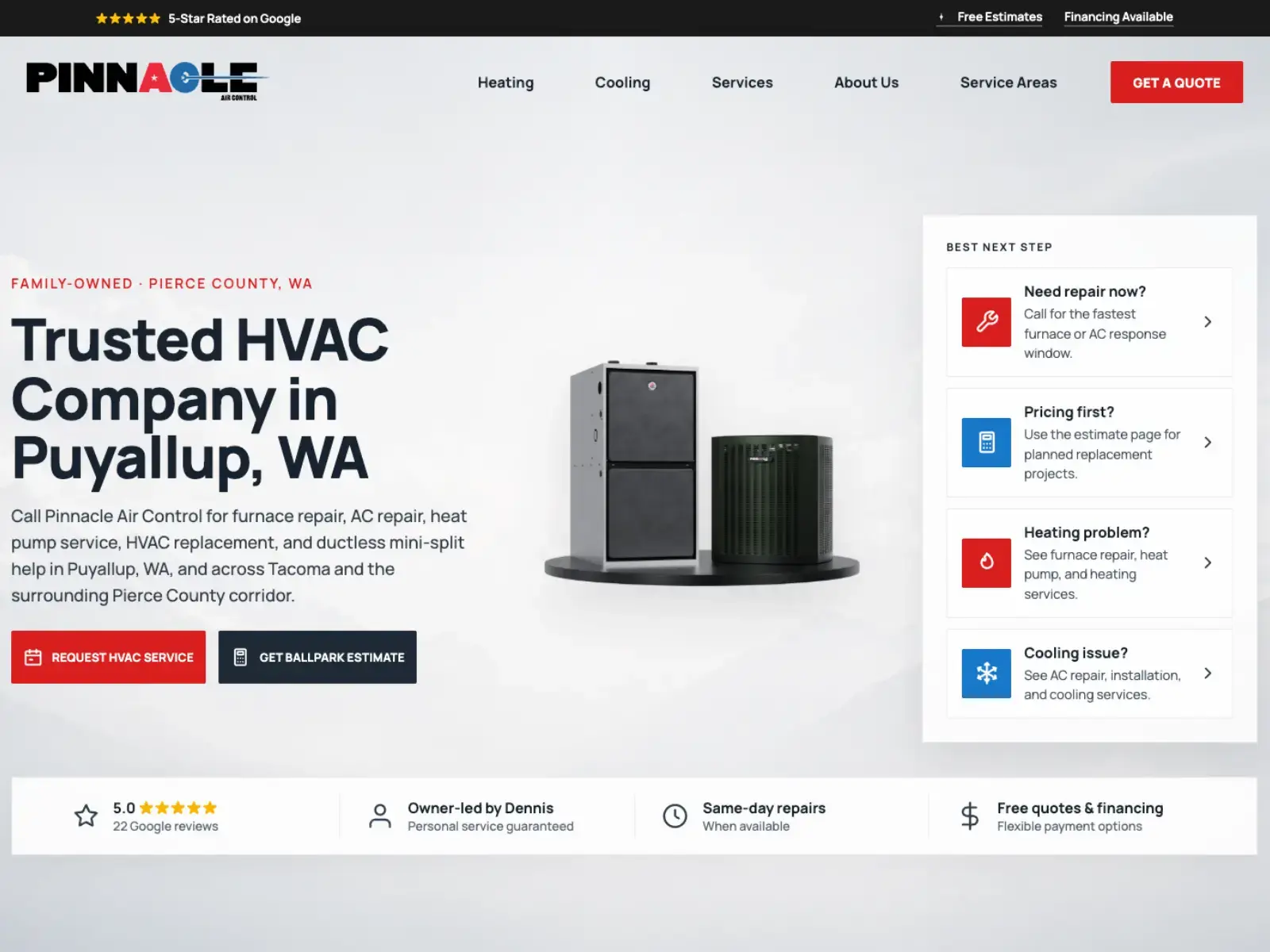
Pinnacle Air Control, South Hill
From around position 70 to page one for HVAC in their service area.
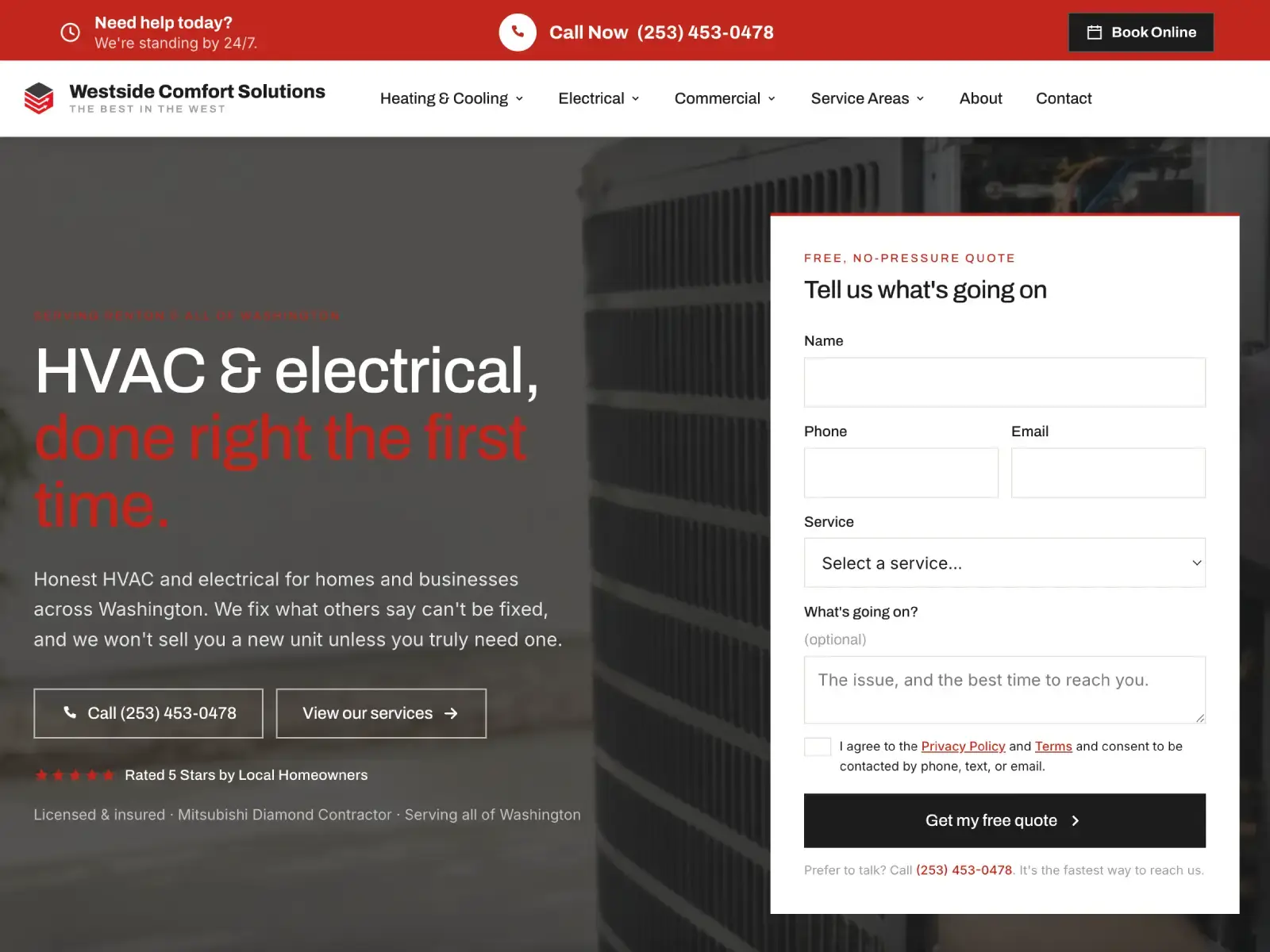
Westside Comfort Solutions, Renton
First booked job about a month after launch, and more since.
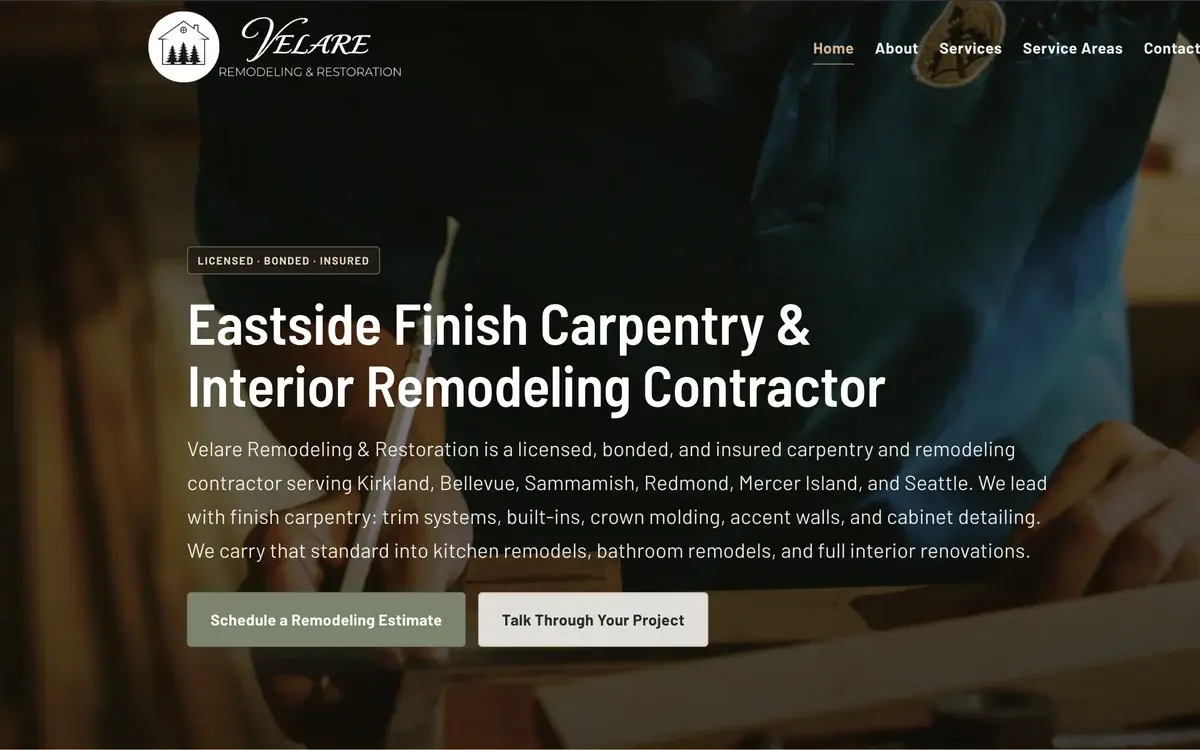
Velare Remodeling, Bonney Lake
Landing clients within two months, including the build.
Common questions about trades websites
Call or text (206) 940-8704.
Which trades do you build for?
Roofing, HVAC, plumbing, electrical, flooring, painting, and general construction.
What does a trades website cost?
$4,500 flat for a custom build, one-time, and you own it forever. Hosting and maintenance start at $150/mo. There is no hourly billing and no per-page pricing.
I’m busy right now. Should I wait until the slow season?
Build in the slow season, launch before the busy one. A new site does not earn Google’s trust overnight, so the work has to be done ahead of the demand it’s meant to capture. Starting a build during your peak means the site goes live after the surge you wanted it for.
Do I need a separate page for every city I serve?
Not for every city, only for every market you genuinely compete in. A page for a town you’ll actually drive to, with real local detail, earns its place. A thin page naming a city you’ve never worked in is the doorway-page pattern Google penalizes, and it drags the rest of the site down with it.